You launch the campaign on Sunday. By Thursday, a big chunk of the month's budget is gone, the phone rang twice, and one of those calls was someone asking if you're hiring.
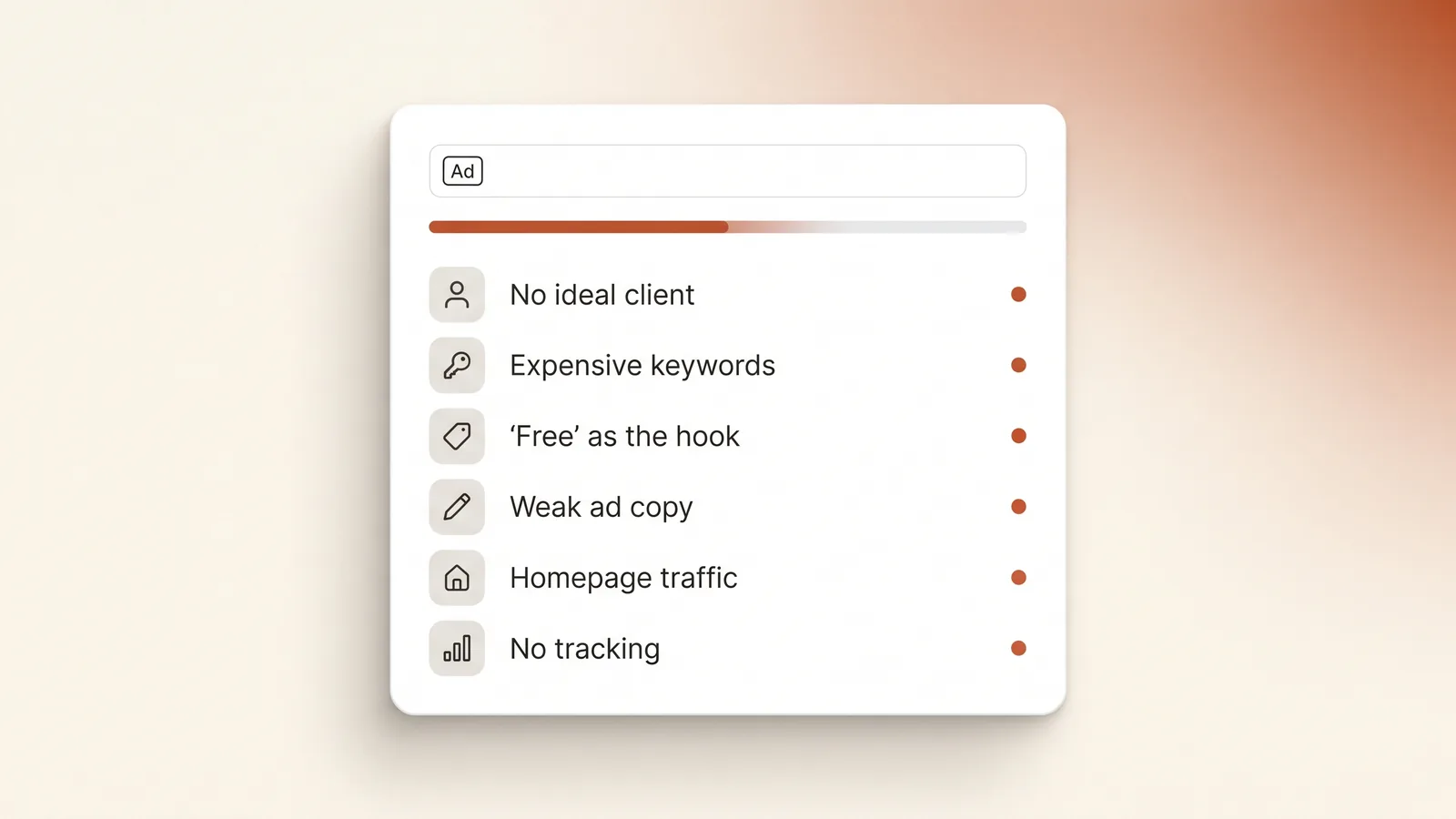
The short answer: most first-week Google Ads losses aren't bad luck, and Google isn't "eating the money". They come from setup decisions made before launch: a campaign aimed at no one in particular, the most expensive keywords on the loosest match type, an offer that attracts freebie hunters, ad copy written once and forgotten, clicks sent to the homepage, and no tracking to show which click became a call. Fix those, and the same budget buys fewer, better clicks.
Below are the eight mistakes in the order they usually happen, how to spot each one in your account, and what to fix first.
Why doesn't paying Google guarantee leads?
This is the mistake behind all the others. A lot of business owners think about Google Ads like this: "I'm putting SAR 2,000 a month in, so I should get a decent number of leads, whatever the ad says and wherever it sends people."
That's not how it works. Paying Google buys you a seat in an auction, not customers. Every time someone searches, Google ranks the competing ads using your bid, the quality and relevance of your ad, your landing page experience, and how likely people are to click. A weak ad and a weak page don't just convert worse. They also cost you more per click, because Google rewards relevance.
Here's what the same SAR 2,000 looks like with two different setups:
| Setup A: "just run it" | Setup B: built properly | |
|---|---|---|
| Monthly budget | SAR 2,000 | SAR 2,000 |
| Average cost per click | SAR 10 (broad, competitive keywords, weak ad) | SAR 7 (specific keywords, relevant ad and page) |
| Clicks per month | 200 | about 285 |
| Page conversion rate | 2% (homepage) | 8% (dedicated landing page) |
| Inquiries | 4 | about 23 |
| Cost per inquiry | SAR 500 | about SAR 88 |
Illustrative numbers to show the mechanics, not a promise. Your real cost per click depends on your sector, city and competition.
Same money, roughly five times the inquiries. Nothing in setup B is a secret trick. It's the eight fixes below.
Mistake 1: Building the campaign before defining the ideal client
From our work: the campaigns that burn money fastest are the ones where nobody wrote down who the right customer actually is. The ad ends up talking to everyone, so it attracts the wrong people.
Your ideal client decides everything else: which keywords to bid on, what the ad says, which areas you target, and what hours the ads run.
Take a commercial law firm in Jeddah. Its ideal client is a company owner with a contract dispute or an unpaid invoice. That person searches "commercial lawyer Jeddah" or "محامي قضايا تجارية جدة". The firm doesn't want someone searching "free legal advice" about a traffic fine. Both searches contain the word "lawyer". Only one of them pays the bills.
Before you open Google Ads, write one paragraph:
- Who is the client (business or individual, size, sector)?
- What problem brings them to search?
- What do they type, in Arabic and in English?
- Where are they (which cities or districts do you actually serve)?
- When can you answer them (your real working hours, including Ramadan hours)?
If you can't write this paragraph, you're not ready to spend money yet.
Mistake 2: Going straight for the most expensive keywords
Short, generic keywords like "lawyer Jeddah", "dentist" or "marketing agency" have the most competition and the most mixed intent. With a small budget, you'll get a handful of expensive clicks a day, and many of them will be people researching, comparing or just curious.
Start with specific phrases that show someone is ready to act: service + city ("commercial lawyer Jeddah"), problem-based searches ("recover unpaid invoice company"), and Arabic versions of each. They get fewer searches, but each click is cheaper and closer to a sale.
Watch the match type. Broad match is the default for new keywords, according to Google. Broad match lets your ad show on loosely related searches. Google recommends pairing it with Smart Bidding, which learns from your conversion data. A brand-new account has no conversion data yet, so broad match plus a small budget usually means paying for searches you'd never choose. Start with phrase and exact match, and open up later once tracking has collected real conversions.
Mistake 3: Leading with "free consultation"
From our work: "free consultation" gets a lot of clicks, but they're very low intent.
"Free" is the most clickable word in advertising, and that's exactly the problem. It pulls in people looking for something free, not people looking to hire. You pay for every one of those clicks.
This doesn't mean you can never offer a free first call. It means the free part shouldn't be the hook. Lead with who you help and what you solve ("Commercial disputes for companies in Jeddah"), and mention the first call later in the ad or on the page.
Add negative keywords from day one. These are words that stop your ad from showing. For most service businesses in Saudi Arabia, start with:
- free / مجاني / مجانا
- jobs / وظائف / توظيف / راتب
- course / دورة / كورس / تعلم
- PDF / نموذج / بحث
Add more every day from your search terms report (see mistake 8).
Mistake 4: Writing the ad once and never touching it
From our work: people don't optimise their ad copy. They write it once and leave it.
A responsive search ad lets you give Google up to 15 headlines (30 characters each) and 4 descriptions (90 characters each). Google mixes them and learns which combinations work. Most first-week accounts fill in three generic headlines and stop there.
| Weak headline | Stronger headline | Why it's better |
|---|---|---|
| Best Lawyer in Jeddah | Commercial Disputes Lawyer | Matches what the client searched |
| Quality & Professional Service | For Companies, Not Individuals | Filters out the wrong clicks |
| Contact Us Today | Reply on WhatsApp in 15 Min | A specific, believable promise |
| Free Consultation | 12 Years in Commercial Courts | Proof instead of a freebie |
Example headlines only. Only use proof that's true for your business.
Write separate ads in Arabic and English. Google matches ads to people's language settings, and in Saudi Arabia plenty of people search in both. Then check the ads after the first week: pause the weakest headlines and test new ones.
Mistake 5: Sending clicks to the homepage, or to no page at all
From our work: a dedicated landing page is key. Some businesses don't even have a page. Many just send the ad to their main website.
Someone who clicked "commercial disputes lawyer" wants to see commercial disputes, right away. Your homepage talks about ten services, your history and your team. The visitor has to hunt for their answer, and on a phone most people won't bother.
A landing page that works for ad traffic has:
- A headline that matches the ad they just clicked
- One service, not your whole catalogue
- One clear action: call, WhatsApp or a short form, placed at the top and repeated
- Proof: experience, cases handled (described in general terms), credentials
- Speed on mobile: it should load fast on 4G, not just on office Wi-Fi
This isn't only about conversions. Landing page experience is one of the things Google uses to rank your ad, so a weak page also pushes up what you pay per click.
Mistake 6: Leaving default settings you never checked
This is the part most guides skip. Some of Google's default settings are built to reach more people, and on a small local budget that doesn't always help you.
- Location: "Presence or interest". Google's default and recommended option reaches people in or regularly in your area, plus people who've shown interest in it. If you only serve Jeddah, switch to "Presence" so your ads focus on people actually there.
- Networks. Google says Search partners are included by default when you create a Search campaign, and depending on your account the Display Network may be switched on too. For a first lead-generation campaign, keep it on Google Search only until you have data.
- Match type. As in mistake 2, keywords default to broad.
- Ad schedule. If nobody answers the phone at 1 AM, don't pay for clicks at 1 AM. Run ads when you can respond, and update the schedule for Ramadan and Eid.
- Auto-applied recommendations. Check this page in your account so Google doesn't change your campaign without you noticing.
Mistake 7: No tracking for calls and WhatsApp
If you can't see which keyword brought in which call or WhatsApp message, you can't tell what's working. Google's automated bidding can't learn either, because it learns from conversions.
At minimum, track:
- Calls from the ad itself
- Calls from the "call" button on your landing page
- Clicks on the WhatsApp button
- Form submissions
Set this up before launch, then test it: click your own ad (once), tap the WhatsApp button, and confirm the conversion appears in the account within a day.
Mistake 8: Judging the campaign after three days, or rebuilding it every day
Two opposite mistakes, same result. Some owners pause everything on day three because "it's not working". Others change bids, ads and keywords every morning.
Google says automated bid strategies need a learning period of typically one to two conversion cycles, and frequent big changes restart it. So in week one, leave the structure alone. The one thing you should do daily is open the search terms report, which shows what people actually typed before clicking, and add negative keywords for anything irrelevant. That's where week-one money leaks, and it's the cheapest fix there is.
How can you tell week one went wrong?
| What you see | Likely cause | Where to check |
|---|---|---|
| Lots of clicks, almost no calls | Homepage traffic, weak offer, or wrong audience | Landing page, search terms report |
| Budget gone by midday | Keywords too broad or too competitive | Keywords, match types |
| Calls from people outside your area | Location set to "Presence or interest" | Campaign settings, Locations |
| Clicks from searches like "free" or "jobs" | Missing negative keywords | Search terms report |
| Conversions showing zero, but you got calls | Tracking not set up or broken | Goals, Conversions |
| Very high cost per click | Low ad relevance or weak landing page | Ad copy, page speed and relevance |
When should you not run Google Ads yet?
Being honest here saves you money:
- You don't have a page that can convert. Fix the page first, or every riyal you spend makes the problem more expensive.
- You can't answer quickly. If calls go unanswered and WhatsApp replies take a day, the lead goes to the next ad on the page.
- Your budget buys only a few clicks a day. At your sector's cost per click, if you'd get fewer than about five clicks a day, you won't learn much in a month. Narrow to one service and one city, or wait.
- Nobody searches for what you sell. Google captures existing demand. If people don't know your service exists yet, social platforms may be the better first step.
Where to start: the pre-launch checklist
In order of impact:
- Write the ideal-client paragraph (mistake 1).
- Build one landing page for one service, matching the ad (mistake 5).
- Set up call, WhatsApp and form tracking, and test it (mistake 7).
- Choose 10–20 specific keywords on phrase and exact match, plus a starting negative keyword list (mistakes 2 and 3).
- Write full ads, 10+ headlines and all 4 descriptions, in Arabic and English (mistake 4).
- Check every setting: location, networks, schedule, auto-apply (mistake 6).
- Plan your week-one routine: search terms report every day, no rebuilding (mistake 8).
Frequently asked questions
How much should I spend on Google Ads in my first month in Saudi Arabia?
It depends on your sector's cost per click. Published 2026 estimates for Saudi service sectors range from about SAR 1–5 per click for local home services to SAR 6–20+ for legal and financial services. Aim for a budget that buys enough clicks a day to learn from, and start narrow: one service, one city.
How long does it take for Google Ads to bring leads?
If the setup is right, first inquiries can come in the first few days. Judging performance properly takes two to four weeks. Google's automated bidding typically needs one to two conversion cycles to learn, so avoid big changes during that period.
Should I use broad match keywords?
Not at the start. Google itself recommends pairing broad match with Smart Bidding, which needs conversion data to work well. A new account doesn't have that data yet, so begin with phrase and exact match and expand once tracking shows what converts.
Is offering a free consultation in my ads a bad idea?
Not always, but it shouldn't be your main hook. "Free" attracts a lot of low-intent clicks, and you pay for each one. Lead with who you help and what you solve, and mention the first call as a detail rather than the headline.
Why are my Google Ads clicks so expensive?
Cost per click is set by an auction. Besides competition, Google looks at how relevant your ad is to the search, your expected click-through rate and your landing page experience. A more relevant ad and a faster, focused page can lower what you pay for the same position.
The bottom line
Week one of Google Ads is decided before you launch. Get the ideal client, keywords, offer, ad copy, landing page, settings and tracking right, and the budget goes to the people you actually want. Skip them, and the budget still gets spent. Google just spends it on the wrong people.
If your first week already looked like this, book a free audit. Bring your search terms report and we'll tell you honestly where the money went.