

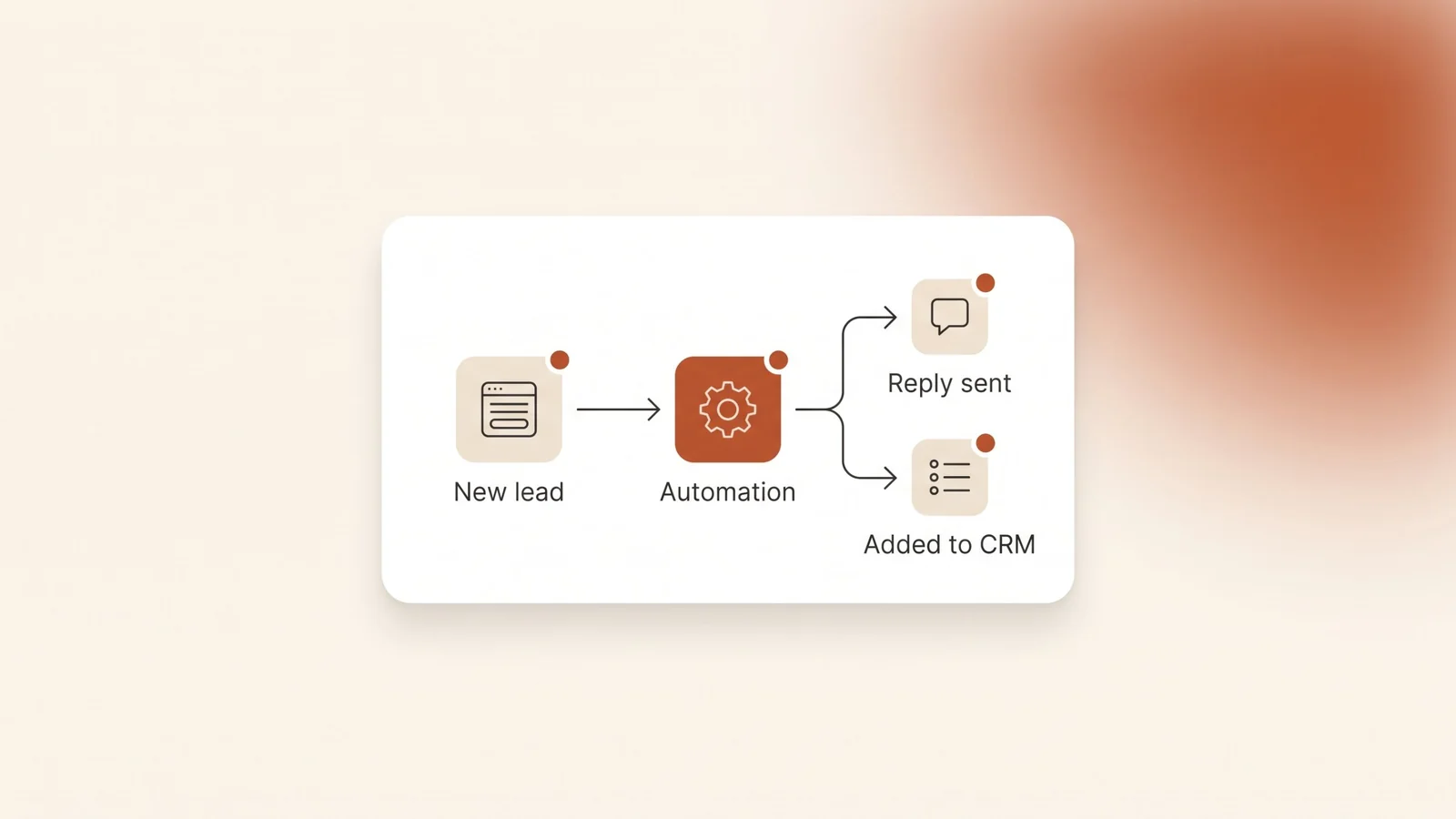
A small business in Riyadh gets a new inquiry through its website form. Someone copies the name and number into a spreadsheet, sends a WhatsApp reply by hand, and sets a reminder to call back. On a busy day one of those steps gets skipped, and the inquiry goes cold. Nothing about that work needs a person. It follows the same rules every time, which is exactly what automation is for.
The short answer: business automation means letting software handle the repeated, rule-based steps in your work, such as replying to a new inquiry, adding it to your CRM, sending a reminder or issuing an invoice. A small business in Saudi Arabia should start with one process that happens every day and follows the same rules each time, usually lead follow-up. Build it with the tools you already use, test it, and make sure every failure alerts someone.
What is business automation for a small business?
Business automation is software doing a step in your work that a person used to do by hand. Each automation has a trigger and an action. A form is submitted, and a reply goes out. An appointment is booked, and a reminder is scheduled. A payment arrives, and the invoice is marked paid.
For a small business, automation is rarely one big system. It is a few connections between the tools you already have: your website forms, WhatsApp, your CRM, your calendar, your accounting software and your spreadsheets. The goal is simple. Data is entered once, and every step after that happens on its own.
The result is fewer missed steps, faster replies and less time spent copying details from one place to another. Your team keeps the work that needs judgement: the conversation, the quote, the decision.
Which tasks should a small business automate first?
Start with tasks that happen often, follow fixed rules and cost you something when they are missed. These are the usual candidates:
| Task | Trigger | What happens automatically |
|---|---|---|
| Lead follow-up | A form, call or WhatsApp message comes in | The lead is added to your CRM, gets a reply, and the right person gets a task to call back. |
| Appointment reminders | A booking is made | A confirmation goes out at once and a reminder goes out before the appointment. |
| Quotes and invoices | A deal is marked as won | The invoice is created in your accounting software from the details already in the CRM. |
| Payment reminders | An invoice passes its due date | A polite reminder goes to the client, and you see a list of what is still unpaid. |
| Weekly reports | A set day and time | New leads, bookings and sales are pulled into one summary and sent to you. |
| New client onboarding | A contract is signed | A welcome message, a checklist of what you need from the client and a folder for their files are created. |
Each row is a pattern, not a product. The tools behind it depend on what your business already uses.
For most service businesses, lead follow-up comes first. It sits closest to revenue, and a missed inquiry is a lost client you never hear about. A lead follow-up system is automation that replies to, routes and reminds about each new inquiry so none goes unanswered.
How do you choose the first process to automate?
Ask your team which task they complain about most. Then check it against four questions:
- How often does it happen? A task that happens every day saves more time than one that happens every month.
- Does it follow the same rules every time? If you can write the steps down as “when this happens, do that”, it can be automated. If every case needs a judgement call, it can’t, at least not fully.
- What does a mistake cost? A missed inquiry or a late invoice costs money. A badly formatted internal note costs nothing.
- Is the data already digital? Automation needs the information to start in a form, an inbox, a system or a sheet. If it starts on paper, fix that first.
Pick one process that scores well on all four. Automate it, run it for a few weeks and fix what breaks. Then move to the next one. One process that runs reliably is worth more than five half-finished ones.
What tools does a small business need for automation?
Usually fewer than you think, and mostly ones you already pay for. A typical small business setup has four parts:
- A place where leads and clients live. That is your CRM, the system that stores every lead and tracks each follow-up. Our guide to choosing a CRM for a small business covers what to look for.
- Your everyday tools. Google Workspace or Microsoft 365, your calendar, your website forms and your accounting software.
- Your messaging channel. For most Saudi businesses that is WhatsApp. The WhatsApp Business app handles simple automatic replies. Sending messages from your CRM or sharing one number across a team needs the WhatsApp Business API, which our WhatsApp Business API guide explains.
- Something that connects them. Many tools have built-in integrations. Where they don’t, an automation platform moves data between them.
Before you buy anything new, check what your current tools already do. Many CRMs, booking tools and accounting systems include reminders, automatic emails and simple workflows that nobody has switched on.
What Saudi rules affect automation?
Two practical points come up in almost every small business project in Saudi Arabia: invoices and customer data.
Invoices. The Zakat, Tax and Customs Authority (ZATCA) defines an e-invoice as a tax invoice generated in a structured electronic format through electronic means. Its e-invoicing guidance says that a paper invoice converted into an electronic format by copying or scanning is not an e-invoice. Phase one has applied to all resident taxpayers since December 4, 2021. Phase two, which connects your invoicing solution to ZATCA’s systems, is rolling out in waves, and ZATCA notifies each taxpayer of its wave at least six months in advance.
For automation, that means one thing: if you are a VAT taxpayer, invoices should come out of accounting or invoicing software that meets ZATCA’s requirements. Automate the steps around it, such as creating the invoice from a won deal and chasing late payments. Don’t build a workaround that produces invoices outside that software.
Customer data. Every automation that touches leads moves personal data: names, phone numbers and conversations. Saudi Arabia’s Personal Data Protection Law applies to that data. Our CRM guide covers what the law means for the systems that store it.
This is our reading of ZATCA’s published guidance, checked in October 2026, not tax advice. Confirm your obligations with ZATCA or your accountant.
What should you not automate?
Automation is good at repeating rules. It is bad at judgement. Keep these with people:
- Complaints and sensitive conversations. An automatic acknowledgement is fine. The reply itself should come from a person.
- Pricing and quotes that depend on the job. Automate the template and the sending, not the number.
- A broken process. If your team doesn’t agree on how a task should run, automating it makes the confusion faster. Agree on the steps first.
- Anything you can’t check. If nobody would notice when the automation stops, it will fail quietly. Every automation needs an alert when it fails.
Be careful with automatic WhatsApp messages too. A message that is clearly automatic and useful, like a confirmation with the appointment time, is welcome. A string of generic messages is not, and it makes the business feel careless.
How do you set up your first automation?
- Map the process as it runs today. Write down every step, who does it and which tool it happens in. Include the steps people do from memory.
- Write the rules. For each step, write “when this happens, do that”. Note the exceptions and decide who handles them.
- Build it in the tools you already use. Use built-in features first and add connections only where they are missing.
- Test it with real cases. Submit a form, book an appointment, mark a deal as won. Check every message, record and task that should appear.
- Set up failure alerts. If a step fails, someone gets a message. Nothing should break silently.
- Write down how it works. One short document: what triggers it, what it does, who owns it and how to switch it off.
- Review it after a few weeks. Check what it missed, what clients replied and what your team still does by hand.
A simple first step that needs no new tools: if you use the WhatsApp Business app, set up an away message. WhatsApp lets you send away messages at all times, on a custom schedule or outside your business hours, as long as the phone has an active internet connection. It won’t follow up for you, but nobody who messages after hours is left without a reply.
How do you know the automation is working?
Measure the problem you set out to fix, before and after:
- Reply time to new inquiries. How long a lead waits for a first answer.
- Inquiries with no follow-up. How many leads in your CRM have no next step.
- No-shows. How many booked appointments are missed.
- Days to get paid. How long invoices stay open after their due date.
- Hours spent on the task. Ask the person who used to do it.
If a number doesn’t move, look at the process before you add more automation. The gap is often a step that still depends on someone remembering.
Frequently asked questions
What is the difference between a CRM and business automation?
A CRM is the system that stores every lead and tracks each follow-up. Business automation is what moves data and triggers steps between your tools, including the CRM. A CRM without automation still depends on people to enter leads and remember follow-ups.
Can a small business automate WhatsApp replies?
Yes. The WhatsApp Business app can send away messages at all times, on a custom schedule or outside business hours, as long as the phone is connected to the internet. To send replies from your CRM or share one number across a team, you need the WhatsApp Business API.
Can I automate invoices in Saudi Arabia?
Yes, but if you are a VAT taxpayer, the invoice itself must come from an e-invoicing solution that meets ZATCA’s requirements. A scanned paper invoice is not an e-invoice. Automate the steps around the invoice, such as creating it from a won deal and sending payment reminders.
Will automation replace my staff?
No. Automation takes over repeated steps like copying details, sending confirmations and building reports. Conversations, quotes, complaints and decisions stay with your team, who now have more time for them.
Where should a small business start with automation?
Start with the task your team complains about most, as long as it happens often and follows the same rules each time. For most service businesses that is lead follow-up. Automate that one process, test it and run it for a few weeks before you add the next.
The bottom line
Business automation for a small business in Saudi Arabia is not a big software project. It is one repeated task at a time, moved from a person’s memory into the tools you already use, with an alert for when something fails. Start with lead follow-up, keep invoices inside ZATCA-compliant software and keep judgement with your team.
Kyvo Media maps and builds these workflows as part of our business automation service, and our CRM solutions cover the lead side. Book a free audit and we’ll look at the tasks your team still does by hand.