
Picture a business whose website disappears on a Sunday morning, and whose email stops with it. Nothing was hacked. The domain expired, the renewal notices went to a freelancer’s inbox from years ago, and nobody in the company can log in to fix it. A domain name and a hosting plan feel like small purchases. They are the two things your whole website stands on.
The short answer: pick a short domain name close to your business name that is easy to say on the phone, register it in your company’s own name, and turn on auto-renew. Use .com.sa or .sa if you serve Saudi Arabia only, and .com if you also sell abroad. Choose hosting by what you run, and check speed, backups, HTTPS and support before you pay.
What is the difference between a domain name and web hosting?
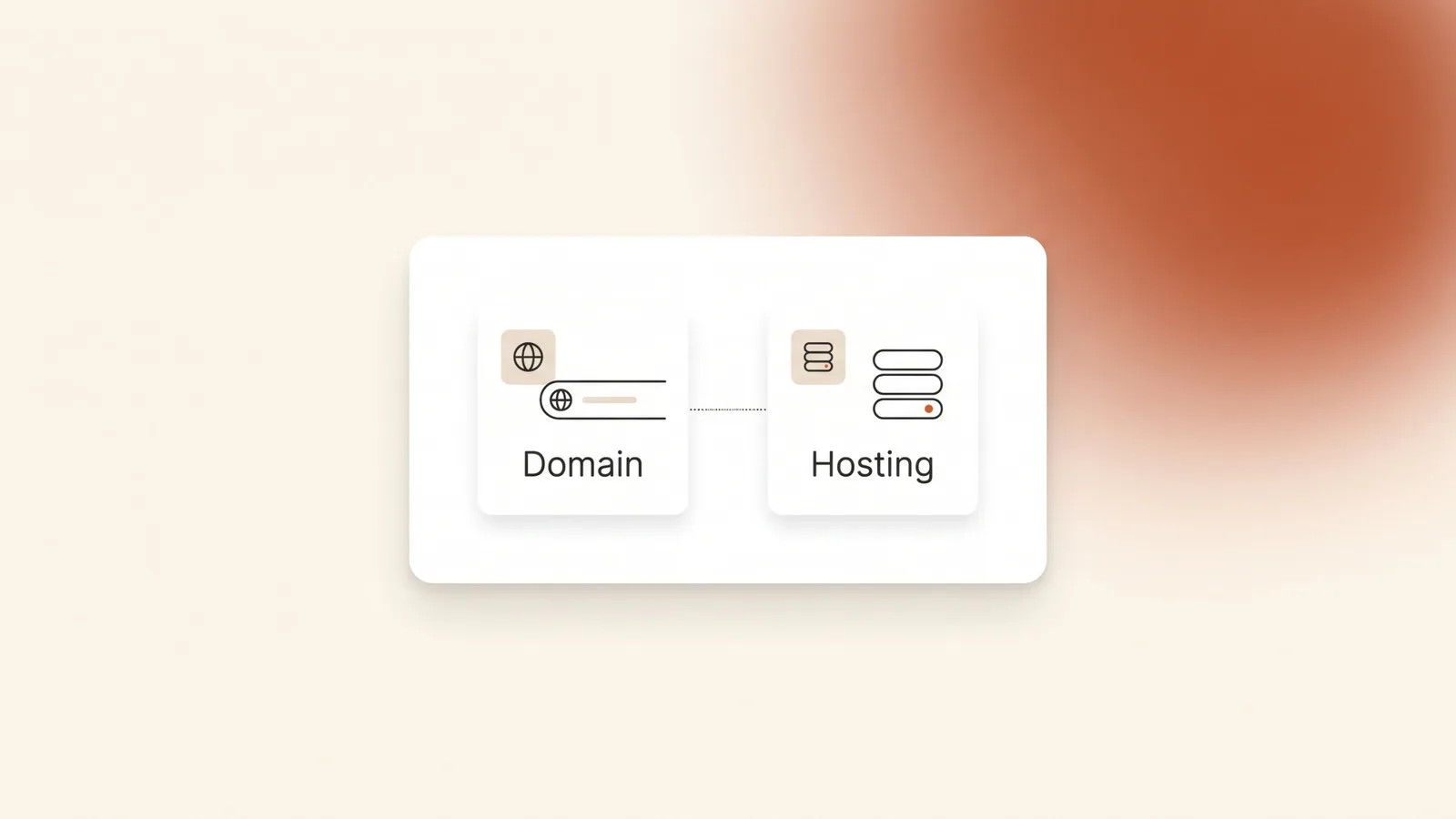
A domain name is your address on the internet, such as yourbusiness.com. Web hosting is the computer that stores your website’s files and sends them to visitors. You rent both, usually for a year at a time, and you can buy them from different companies.
Think of a shop. The domain is the address on the sign. The hosting is the building. You can move to a new building and keep the same address, and customers still find you. That is why the domain is the part to protect most carefully: your links, your business cards, your Google listing and your email all depend on it.
How do you choose a good domain name?
A good domain name is one a customer can hear once and type correctly. Most of the mistakes are easy to avoid if you test the name before you buy it.
- Use your business name. A name tied to your brand still fits when you add a service or open in a new city. A name built around one service and one city doesn’t.
- Keep it short. Shorter names are easier to remember and fit better on an email address, a van or a card.
- Say it out loud. Saudi customers often hear your name on the phone or from a friend. If you have to spell it, or if an Arabic name has several possible Latin spellings, pick the simplest one and buy the common misspelling too.
- Avoid numbers and extra hyphens. Both get lost when a name is spoken. Saudi rules also don’t allow a Latin name to start or end with a hyphen, or to contain two hyphens in a row, and the name must be 2 to 63 characters (Saudi Domain Names Registration Regulations, Article 9-1-1).
- Check for conflicts. Search the name on Google, on social platforms and with the trademark office. Saudi registrants may not use a domain for cybersquatting (SaudiNIC registration rules), and a name too close to someone else’s brand can cost you the domain.
- Grab the social handles together. One matching name across your website, Instagram and X is easier for customers to find.
Saudi domains are registered first come, first served (Article 9-5 of the same regulations), so buy the name as soon as you are sure of it.
Should a Saudi business use .com, .sa or .com.sa?
Use .com.sa or .sa if your customers are all in Saudi Arabia, and .com if you plan to sell outside the Kingdom. Google says country-code domains are a strong signal to users and search engines that a site targets that country. A generic ending like .com isn’t tied to any location, so it keeps every market open. Either can rank well in Saudi Arabia when the content and links are right.
SaudiNIC, the national registry, sets who can register each ending. Article 4-1 limits registration to entities physically located in Saudi Arabia, Saudi nationals, Premium Residency holders, entities with a Saudi registration or licence, and owners of a registered Saudi trademark or trade name.
| Ending | Who can register | What you need |
|---|---|---|
.sa | Any person or company that meets Article 4-1 | No commercial registration required by the zone rule (Article 4-3-1) |
.com.sa | Businesses and owners of local trade names or trademarks | Valid commercial registration, or a registered trade name or trademark (4-3-2) |
.med.sa | Hospitals, clinics, pharmacies | Valid health licence (4-3-5) |
.edu.sa | Schools, universities, training bodies serving students directly | Valid licence (4-3-3) |
.net.sa | IT, communications, media and postal providers | Valid licence (4-3-7) |
.org.sa | Non-profits, charities, clubs | Non-profit status (4-3-8) |
.السعودية | Any person or company | Arabic ending, open under Article 4-2 |
Whichever you choose, buy your other likely endings if they are available and redirect them to the main one. It stops someone else from taking them, and customers who guess the wrong ending still reach you. An Arabic domain ending in .السعودية can be a useful extra, but keep a Latin domain as your main address, because Latin email addresses are easier for most people and systems to handle.
Who should own your domain?
Your company should own its domain, in its own name, under an email address the company controls. This is the most important paragraph in this guide. If a designer, agency or employee registers it under their own account, you depend on them to renew it, change it or hand it over.
- Register it in the company’s name, using your legal name exactly as it appears on your commercial registration.
- Use a shared address such as admin@ or it@ for the account, not one person’s inbox.
- Turn on auto-renew and keep a valid card on the account. Add the renewal date to your calendar as a backup.
- Turn on two-step login if your registrar offers it.
- Keep your details current. ICANN’s rules, which cover domains such as .com, let only the registered holder or an authorised contact start a transfer. A change of owner details can also lock a domain against moving registrars for 60 days.
Letting a domain lapse is expensive. Under the Saudi regulations, SaudiNIC can suspend or delete a domain that isn’t renewed, and a suspended domain’s website and email stop working (Articles 14-2-5 and 14-5). After deletion, the name can become available to others at a random time within 60 days.
Which type of web hosting do you need?
The right hosting depends on what your website does, not on the biggest plan a company can sell you. Most small business sites don’t need much. A busy store or a custom application does.
| Type | What it is | Good for | Watch out for |
|---|---|---|---|
| Shared hosting | Your site shares one server with many others | Small company and service websites | A busy neighbour can slow your site |
| Managed WordPress hosting | The host looks after the server, updates and backups | WordPress sites without a technical person | You are tied to one kind of site |
| VPS | A reserved portion of a server that you control | Growing sites with custom needs | Someone has to maintain it |
| Cloud hosting | Capacity spread across many machines, scaled as needed | Traffic spikes, custom applications | Costs vary, and setup takes skill |
| Store platform | Hosting is part of the ecommerce platform | Online stores on a platform | You are limited to what the platform allows |
If you are opening an online store, the choice of platform comes first, and our comparison of Salla and Shopify covers that decision. For a normal company website, start with good shared or managed hosting and move up when your traffic or your site actually needs it.
What should you check before buying hosting?
Ignore the marketing page and check these six things. Ask the host in writing if the answer isn’t published.
- Speed. Time to First Byte is how long the server takes to start answering. Google’s web.dev team says 0.8 seconds or less is good, and above 1.8 seconds is poor. Test a site already on that host from a phone in Saudi Arabia. Our guide to website speed and Core Web Vitals explains the rest of the picture.
- Reliability. Ask what uptime the host commits to and what happens when it misses. Long outages also hurt in search: when a server keeps returning errors, Google slows its crawling and eventually drops those pages from the index.
- Backups. Ask how often they run, how long they are kept and how you restore one. Keep your own copy somewhere else as well.
- HTTPS. The padlock should be included and renew by itself. Let’s Encrypt gives trusted certificates at no cost, so you shouldn’t have to pay extra for a basic one. Google’s page experience guidance asks whether pages are served securely.
- Support. Send a question before you buy. See how long the reply takes, and whether it comes in a language your team can work in.
- A way out. Confirm you can download all your files and database at any time. Avoid any plan that makes leaving difficult.
Keep your email separate from your website hosting if you can. Then a website problem or a change of host doesn’t take your email down too.
Does your server need to be in Saudi Arabia?
No. Google doesn’t require it. Google calls server location a signal, but not a definitive one, because content delivery networks and hosting choices can hide where a site really sits. The practical reason to care is speed: the closer the server is to your visitors, the sooner the first byte arrives. A content delivery network keeps copies of your files closer to visitors and helps when your server is further away.
The bigger question is personal data. If your contact form collects names and phone numbers, and that data is stored outside the Kingdom, the Personal Data Protection Law applies to the transfer. Article 29 of the law sets conditions, including an adequate level of protection and limiting the transfer to the minimum needed. The SDAIA regulation on transfers outside the Kingdom lists the accepted safeguards, such as standard contractual clauses. If you are in healthcare, finance or another regulated field, or you hold sensitive data, ask a legal adviser before you pick a host. This section is general information, not legal advice.
In what order should you set everything up?
- Choose the name and test it out loud with three people.
- Check the conflicts: Google, social handles and trademarks.
- Register the domain in the company’s name, with a shared email address and auto-renew on.
- Choose hosting based on what the site does, and read the six checks above.
- Point the domain at the host and confirm HTTPS works on every version of the address.
- Set up business email on your domain, separate from the website if possible.
- Turn on backups and test restoring one.
- Write down every login and store them in a password manager the company controls.
Then connect the site to Google Search Console so you hear about crawl errors early.
Frequently asked questions
Can a Saudi business rank with a .com domain?
Yes. Generic endings like .com aren’t tied to a country, so a .com can rank in Saudi Arabia when its content and links are relevant to Saudi searchers. A .com.sa or .sa gives a clearer country signal, which suits a business that only serves the Kingdom.
Do I need a commercial registration to get a Saudi domain?
For .com.sa, yes, or a locally registered trade name or trademark. For .sa, the zone rule doesn’t require one, but SaudiNIC’s general rule still requires a local link, such as being located in Saudi Arabia, being a Saudi national or holding a Saudi registration.
Can I change hosting without losing my Google rankings?
Yes, if your URLs stay the same. Copy the site to the new host, test it, then point the domain to it and keep the old host running for a few days. Changing the domain itself is a bigger job: use 301 redirects and keep them for at least one year, as Google advises.
Should I buy an expired domain with old backlinks?
Usually not. Google’s spam policies list expired domain abuse, which is buying an expired domain and repurposing it mainly to manipulate rankings. You also inherit a history you can’t fully see. A new name for your own business is the safer choice.
Does my website have to be hosted in Saudi Arabia?
Google doesn’t require it, and server location is only one signal. Choose a host that loads quickly for your Saudi visitors. If you store personal data such as form submissions outside the Kingdom, check the Personal Data Protection Law’s transfer rules, and ask a legal adviser if your sector is regulated.
The bottom line
Choose a short name you can say on the phone, own it in your company’s name, and never let it expire. Choose hosting for what your site does today, and check speed, backups, HTTPS, support and your right to leave before you pay. Get those right once and you won’t have to think about them much again.
Kyvo Media handles domains, hosting and launch as part of our website development service, with the domain registered in your name. Book a free audit and we’ll check who really controls your domain and how your hosting is performing.